🧩 Chrome Extension
Herhangi Bir Siteden Veri Çıkarın, Cloudflare Korumalı Olanlar Dahil
SmartScan runs directly in your browser — bypassing server-side blocks, Cloudflare protection, and login walls. Emails, phones, links, tech stack, socials and more.
Free · No credit card · Works on Chrome & Edge
Tek tıkla ihtiyacınız olan her şey
16 extractors running simultaneously in your browser
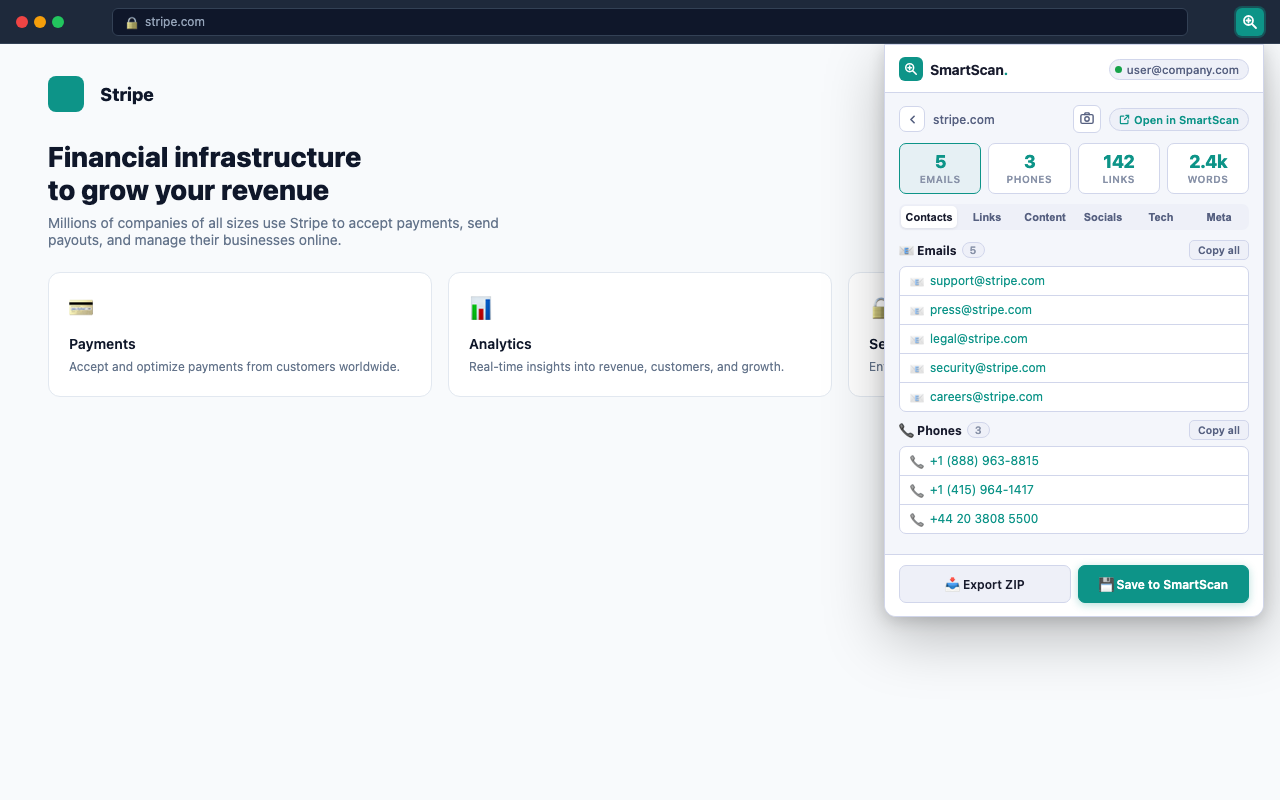
Email Extraction
Finds emails in mailto links, page text, and obfuscated formats like name[at]domain.
Phone Numbers
Detects international and local formats including +1, +44, and regional patterns.
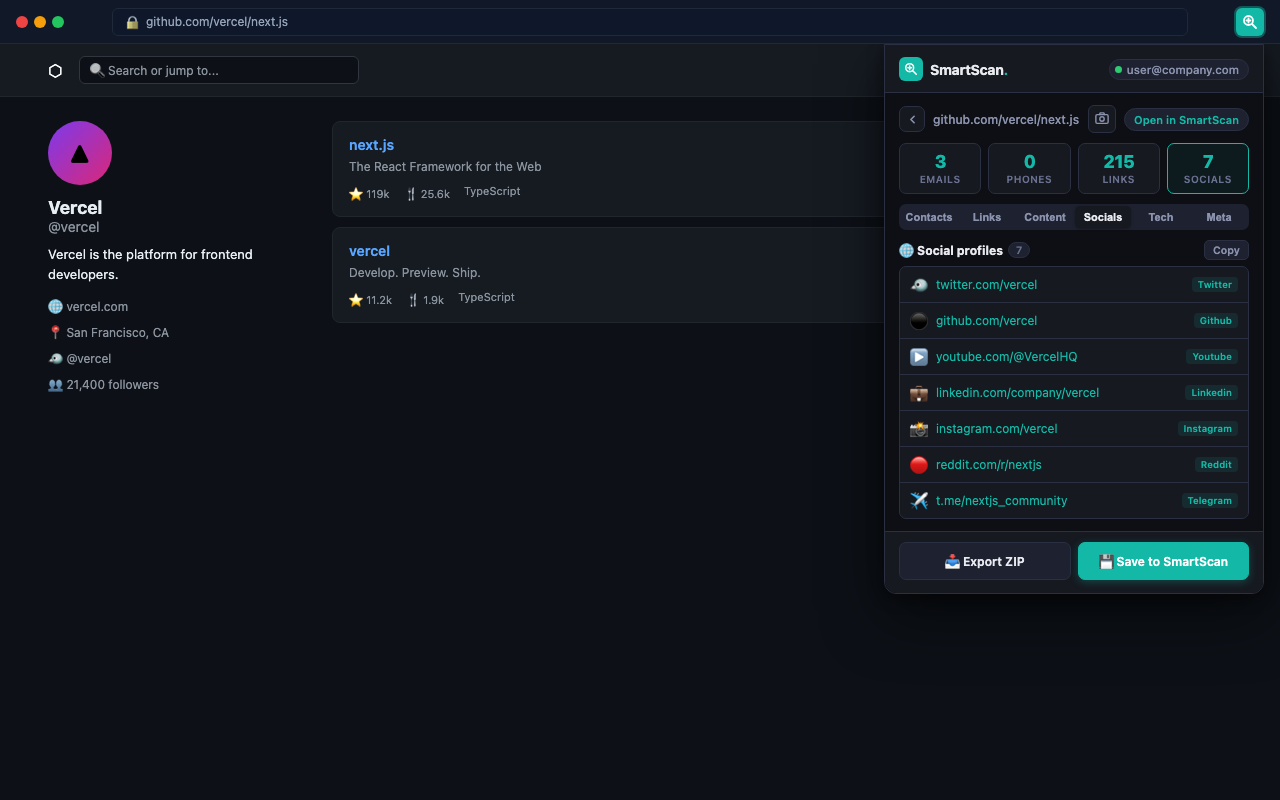
Social Profiles
Finds profiles on 14 platforms: Instagram, Twitter/X, LinkedIn, TikTok, YouTube, GitHub and more.
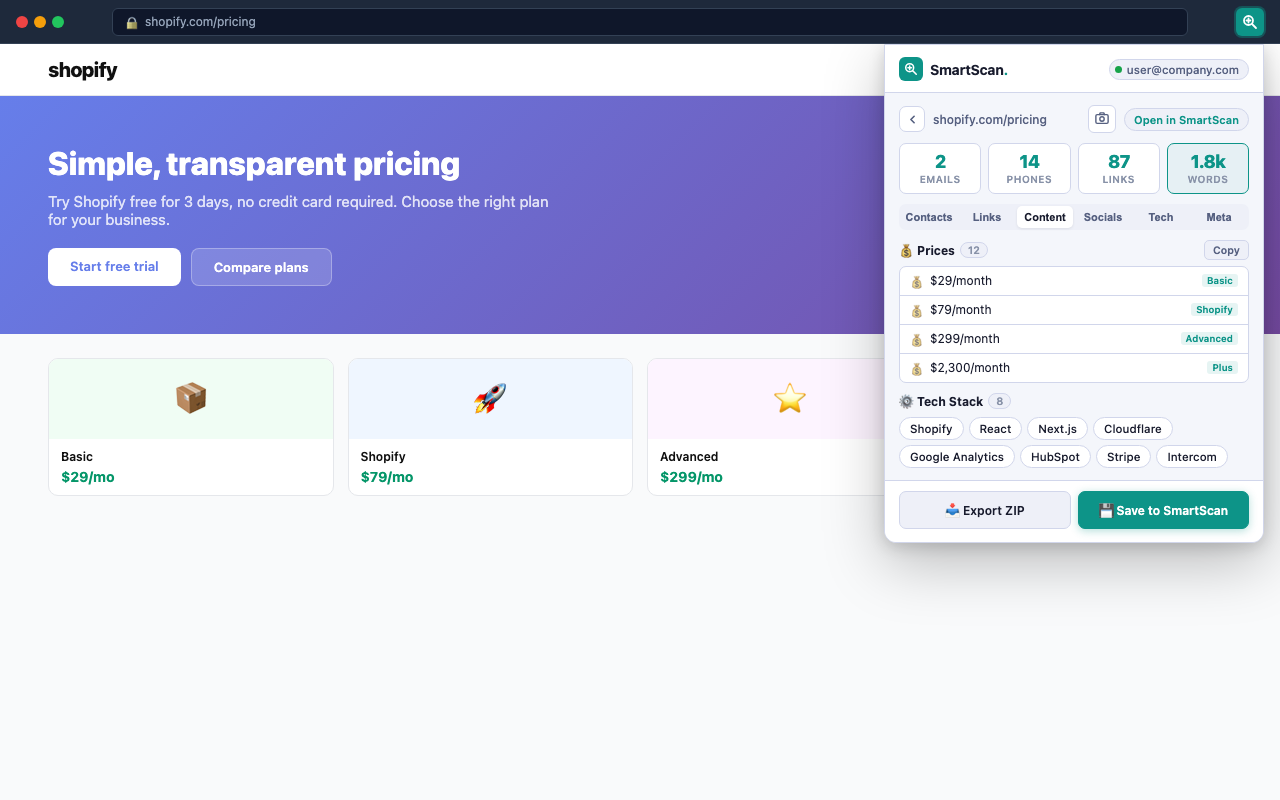
Tech Stack
Detects 35+ technologies: frameworks, CMS, analytics, CDN, payment systems and more.
Link Analysis
Extracts all internal and external links with text labels and highlights important pages.
Meta & SEO Data
Title, description, OG tags, Twitter Card, canonical URL, robots directives.
Prices
Extracts all price mentions in any currency — great for competitor price monitoring.
Documents
Finds links to PDF, DOC, XLS, PPTX and other downloadable files.
Tables
Extracts HTML tables with headers and rows — useful for data and pricing pages.
Text Statistics
Word count, reading time, sentence count and full heading hierarchy (H1–H6).
Screenshot
Capture the visible area of any page with one click — saved to your ZIP export.
ZIP Export
Download all results as a structured ZIP with separate files for each data type.
Uzantı ve Web Uygulaması — hangisini ne zaman kullanmalı
| Scenario | 🧩 Extension | 🌐 SmartScan Web |
|---|---|---|
| Cloudflare-protected site | ✓ Works | Blocked |
| Pages you're logged into | ✓ Works | No access |
| Crawl entire website (30+ pages) | Current page only | ✓ Full crawl |
| Bulk scan 100 URLs | One page at a time | ✓ Bulk mode |
| AI Insights & custom extraction | Not available | ✓ Available |
| Full-page screenshot | Viewport only | ✓ Full page |
| No account needed | ✓ Works offline | ✓ Guest mode |
| Works with your session cookies | ✓ Automatic | ✓ Manual paste |
Nasıl çalışır
Three steps, under 10 seconds
1
Install the extension
Click "Add to Chrome" — it's free, no account required. Works in Chrome and Edge.
2
Visit any website and click the icon
Navigate to the site you want to scan. Click the SmartScan icon in your browser toolbar. The extension activates only when you click — no background tracking.
3
Get results instantly
Results appear in the popup in seconds. Copy emails, export a ZIP file, or save to your SmartScan account to view in the full dashboard.
Sık sorulan sorular
Does the extension work on Cloudflare-protected websites?
Yes. Unlike web-based scrapers that get blocked by Cloudflare's server-side protection, the SmartScan extension runs directly in your browser — where you're already recognized as a real user. This means it can extract data from sites that block automated server requests, including those with Cloudflare Managed Challenge.
Is the SmartScan Chrome extension free?
Yes, completely free. All 16 extraction features work without any account. Sign in with a free SmartScan account to save results to your dashboard and access your scan history.
Does the extension collect my browsing data?
No. The extension only activates when you click the icon. All data extraction happens locally in your browser. Nothing is sent to our servers unless you explicitly click "Save to SmartScan". You can read our full privacy policy at smartscan.tools/privacy.
Can it extract data from pages I'm logged into?
Yes. Since the extension runs in your existing browser session, it can access any page you're already authenticated on — including CRMs, dashboards, and social media profiles. This is one of its key advantages over server-based tools.
How is it different from SmartScan.tools?
SmartScan.tools runs on our servers and can crawl entire websites, run bulk scans on 100 URLs, and generate AI-powered reports. The extension runs in your browser and handles single pages — including those our servers can't reach. Use both together for maximum coverage.
What permissions does the extension need?
Three permissions: activeTab (access the current tab's content when you click the icon), storage (save your theme preference and login token locally), and scripting (inject the extraction script into the active tab). No access to all sites, no background data collection.
Herhangi bir siteden veri çıkarmaya hazır mısınız?
Free Chrome extension · 16 extractors · Works on Cloudflare-protected sites