🧩 إضافة Chrome
استخراج البيانات من أي موقع حتى المحمي بـ Cloudflare
يعمل SmartScan مباشرة داخل متصفحك — متجاوزًا الحظر من جهة الخادم وحماية Cloudflare وحواجز تسجيل الدخول. عناوين بريد إلكتروني وأرقام هاتف وروابط وحزمة تقنية وحسابات تواصل اجتماعي والمزيد.
مجاني · لا حاجة لبطاقة ائتمان · يعمل على Chrome و Edge
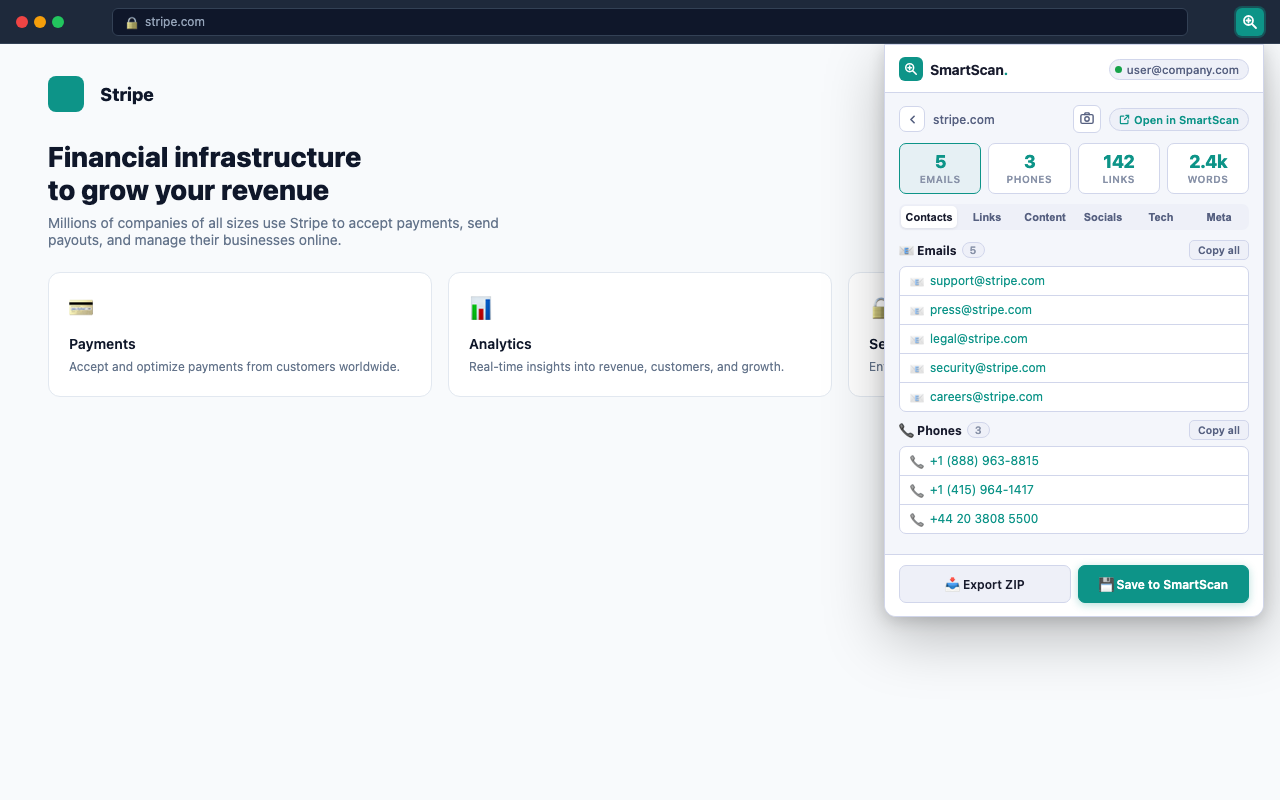
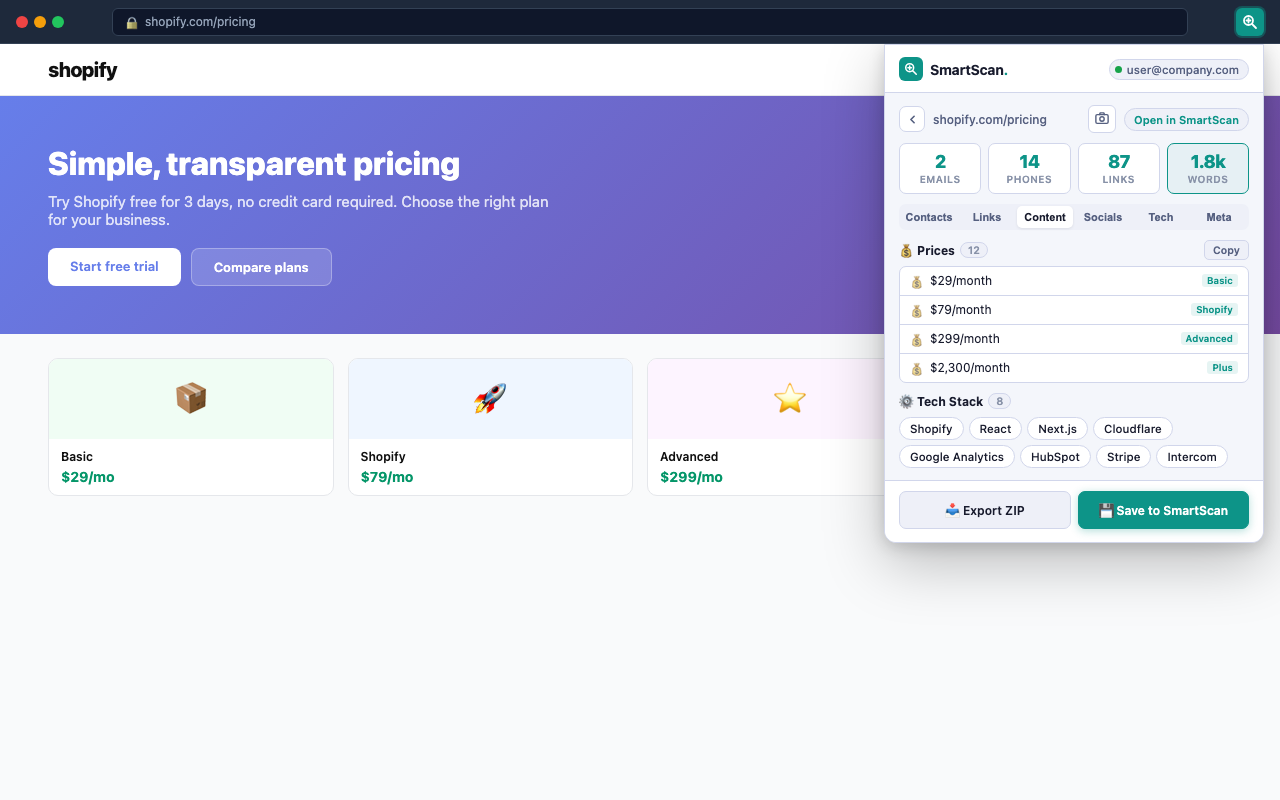
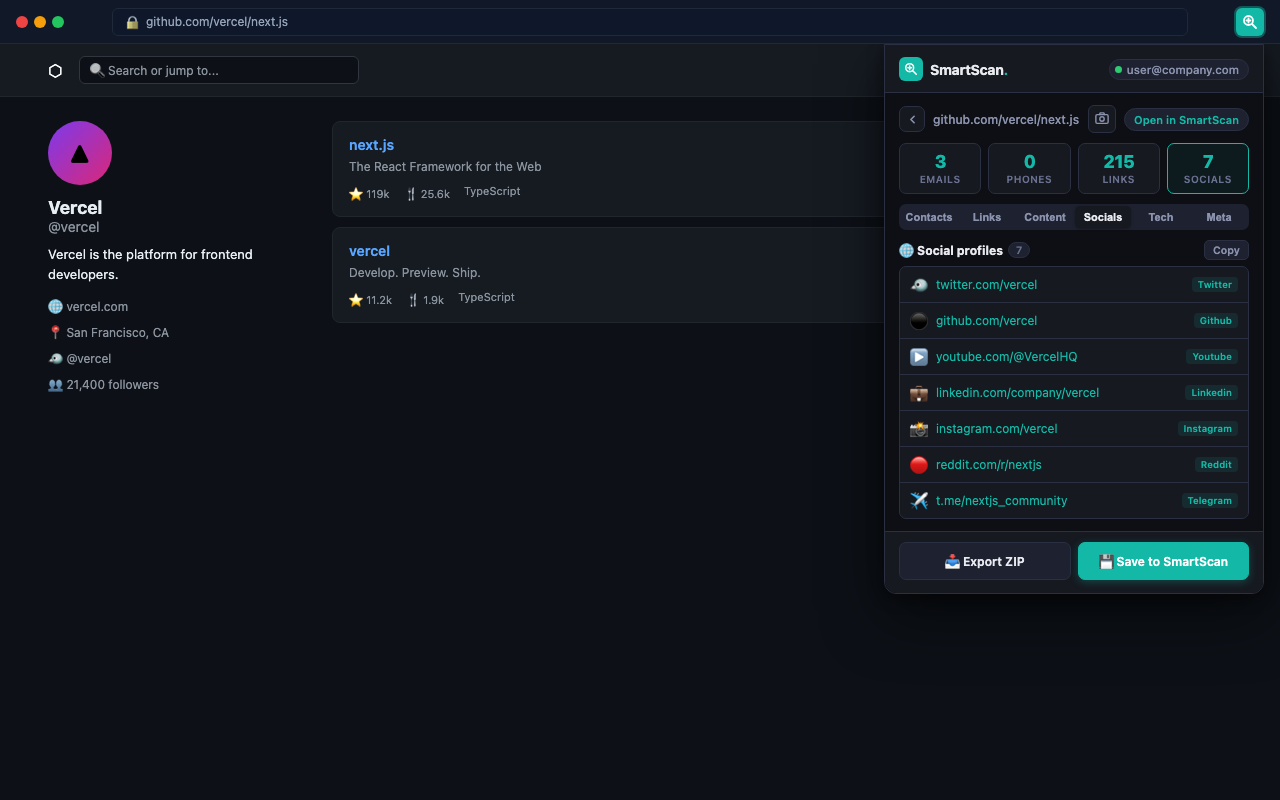
كل ما تحتاجه بنقرة واحدة
16 مستخرجًا تعمل في وقت واحد داخل متصفحك
استخراج البريد الإلكتروني
يعثر على عناوين البريد في روابط mailto وفي نص الصفحة وفي الصيغ المموّهة مثل name[at]domain.
أرقام الهاتف
يكتشف الصيغ الدولية والمحلية بما فيها +1 و+44 والأنماط الإقليمية.
حسابات التواصل الاجتماعي
يعثر على الحسابات في 14 منصة: Instagram وTwitter/X وLinkedIn وTikTok وYouTube وGitHub وغيرها.
الحزمة التقنية
يكتشف أكثر من 35 تقنية: أطر العمل وأنظمة إدارة المحتوى والتحليلات وشبكات CDN وأنظمة الدفع وغيرها.
تحليل الروابط
يستخرج جميع الروابط الداخلية والخارجية مع نصوصها ويبرز الصفحات المهمة.
بيانات meta و SEO
العنوان والوصف ووسوم OG و Twitter Card ورابط canonical وتوجيهات robots.
الأسعار
يستخرج كل الأسعار المذكورة بأي عملة — مثالي لمراقبة أسعار المنافسين.
المستندات
يعثر على روابط ملفات PDF وDOC وXLS وPPTX وغيرها من الملفات القابلة للتنزيل.
الجداول
يستخرج جداول HTML برؤوسها وصفوفها — مفيد لصفحات البيانات والأسعار.
إحصاءات النص
عدد الكلمات ووقت القراءة وعدد الجمل وهيكل العناوين كاملًا (H1–H6).
لقطة الشاشة
التقط المساحة الظاهرة من أي صفحة بنقرة واحدة — وتُحفظ داخل ملف ZIP المُصدَّر.
تصدير ZIP
نزّل كل النتائج في ملف ZIP منظّم يضم ملفًا منفصلًا لكل نوع من البيانات.
الإضافة مقابل تطبيق الويب — متى تستخدم كل منهما
| الحالة | 🧩 الإضافة | 🌐 SmartScan على الويب |
|---|---|---|
| موقع محمي بـ Cloudflare | ✓ يعمل | محظور |
| صفحات أنت مسجّل الدخول إليها | ✓ يعمل | لا يمكن الوصول |
| زحف الموقع بالكامل (حتى 30 صفحة) | الصفحة الحالية فقط | ✓ زحف كامل |
| فحص جماعي لـ 100 رابط | صفحة واحدة في كل مرة | ✓ الفحص الجماعي |
| AI Insights والاستخراج المخصص | غير متاح | ✓ متاح |
| لقطة شاشة للصفحة كاملة | المساحة الظاهرة فقط | ✓ الصفحة كاملة |
| بدون حاجة إلى حساب | ✓ يعمل دون اتصال | ✓ وضع الضيف |
| يستخدم ملفات تعريف الارتباط الخاصة بجلستك | ✓ تلقائي | ✓ لصق يدوي |
كيف تعمل
ثلاث خطوات في أقل من 10 ثوانٍ
1
ثبّت الإضافة
انقر على "Add to Chrome" — مجانية وبدون حساب. تعمل على Chrome و Edge.
2
افتح أي موقع وانقر على الأيقونة
انتقل إلى الموقع الذي تريد فحصه. انقر على أيقونة SmartScan في شريط أدوات المتصفح. تعمل الإضافة فقط عند نقرك — بلا أي تتبّع في الخلفية.
3
احصل على النتائج فورًا
تظهر النتائج في النافذة المنبثقة خلال ثوانٍ. انسخ عناوين البريد، أو صدّر ملف ZIP، أو احفظها في حساب SmartScan لعرضها في لوحة التحكم الكاملة.
الأسئلة الشائعة
هل تعمل الإضافة على المواقع المحمية بـ Cloudflare؟
نعم. على عكس أدوات الاستخراج التي تعمل من الخادم وتصطدم بحماية Cloudflare، تعمل إضافة SmartScan مباشرة داخل متصفحك — حيث يُنظر إليك أصلًا كمستخدم حقيقي. لذلك تستطيع استخراج البيانات من المواقع التي تحظر طلبات الخوادم الآلية، بما فيها المواقع التي تستخدم Cloudflare Managed Challenge.
هل إضافة SmartScan لـ Chrome مجانية؟
نعم، مجانية تمامًا. تعمل جميع مستخرجات البيانات الستة عشر دون أي حساب. سجّل الدخول بحساب SmartScan مجاني لحفظ النتائج في لوحة التحكم والاطلاع على سجل عمليات الفحص.
هل تجمع الإضافة بيانات تصفّحي؟
لا. تعمل الإضافة فقط عند نقرك على الأيقونة، ويتم استخراج البيانات كله محليًا داخل متصفحك. ولا يُرسل أي شيء إلى خوادمنا ما لم تنقر صراحةً على "Save to SmartScan". يمكنك قراءة سياسة الخصوصية كاملة على smartscan.tools/privacy.
هل تستطيع استخراج البيانات من صفحات أنا مسجّل الدخول إليها؟
نعم. لأن الإضافة تعمل ضمن جلسة متصفحك الحالية، فبإمكانها الوصول إلى أي صفحة أنت مسجّل الدخول إليها — بما في ذلك أنظمة CRM ولوحات التحكم وحسابات التواصل الاجتماعي. وهذه من أبرز مزاياها مقارنة بالأدوات التي تعمل من الخادم.
ما الفرق بينها وبين SmartScan.tools؟
يعمل SmartScan.tools على خوادمنا ويستطيع الزحف إلى مواقع كاملة (حتى 30 صفحة) وتشغيل فحص جماعي لـ 100 رابط وإنشاء تقارير بالذكاء الاصطناعي. أما الإضافة فتعمل داخل متصفحك وتتعامل مع الصفحات المفردة — بما فيها تلك التي لا تصل إليها خوادمنا. استخدمهما معًا لتغطية كاملة.
ما الأذونات التي تحتاجها الإضافة؟
Three permissions: activeTab (access the current tab's content when you click the icon), storage (save your theme preference and login token locally), and scripting (inject the extraction script into the active tab). No access to all sites, no background data collection.
هل أنت مستعد لاستخراج البيانات من أي موقع؟
إضافة Chrome مجانية · 16 مستخرجًا · تعمل على المواقع المحمية بـ Cloudflare